VidSeeds.ai Review - Pre-Upload Video SEO Platform That Analyzes Your Real Footage Before You Hit Publish
If you've ever wrapped up a video edit and then sat staring at the YouTube upload screen with an empty title box, you already know this feeling. The creative heavy lifting is done, but the video metadata optimization that decides whether anyone actually discovers your content is still sitting ahead of you.
That blank title field has quietly killed more good content than bad editing ever did. You pour hours into a video, and then when it's time to package it for discovery, you either rush through the metadata with something forgettable or burn another hour second-guessing every single field. Now multiply that by publishing across YouTube, TikTok, Instagram, Facebook, LinkedIn, and X, and you're redoing the same work six times over.
This is exactly the hole VidSeeds.ai was built to plug. Not by generating AI videos or editing your footage, but by analyzing the video you already finished and drafting the complete launch package before you upload.
In this VidSeeds.ai review, we'll explore how this pre-upload video analysis platform approaches video metadata optimization differently from keyword-first tools like VidIQ and TubeBuddy, and why its human-in-the-loop, footage-first philosophy matters for creators who genuinely care about discoverability.
Why Most Video SEO Starts at the Wrong Place
Let's be honest about how most creators approach YouTube SEO today.
The typical workflow looks something like this: you finish editing a video, export it, open the upload form, and then scramble to figure out what to write. You might open a keyword tool, guess a few search terms, and paste the same generic title and description across platforms. The result? Metadata that sounds like it was written for an algorithm, not for the actual video you just made.
Here's what's broken about that approach:
- Keyword-first, footage-last: Tools like VidIQ and TubeBuddy start with a keyword you guessed, not with what you actually said and showed in your video. You're optimizing for search volume, not for the content itself.
- Blank box syndrome: The most common moment of creator paralysis is staring at an empty title field after upload. No drafts, no starting points, no context. Just you and a blinking cursor.
- Post-upload panic: The rush to fill in metadata after uploading means you're making discovery decisions under time pressure. The video is already live, and you're still tweaking the description.
- Platform-by-platform grind: A video that could perform on six platforms gets one generic title, one description, and one set of tags, because rewriting for each platform is a marathon nobody has time for.
- No audience context: You're guessing what your viewers want without any structured way to understand your channel's voice, your competitors' approach, or what your specific audience responds to.
VidSeeds.ai takes the opposite approach. Instead of starting with a keyword, it starts with your video.
What Is VidSeeds.ai? A Footage-First Pre-Upload SEO Platform
VidSeeds.ai is a pre-upload video analysis platform designed for a single, specific moment in the creator workflow: the window between finishing a video and hitting publish.
The idea is straightforward: the best title and description for a video usually come from the video itself. What you actually said, the hook you built, the scenes that make it work. Not from a keyword you typed into a research tool before you even hit record.
Here's what makes the approach different: VidSeeds.ai doesn't just read a title you typed and suggest related keywords. It watches your finished video — analyzing transcripts, speech patterns, scene changes, and the real hook moments — then drafts titles, descriptions, tags, hashtags, chapters, thumbnail concepts, and platform-specific posts that match what you actually recorded.
And crucially: you review and approve every word before anything goes live. Nothing auto-publishes. Nothing goes out without your eyes on it first. Your video stays private throughout the process and is never used to train public AI models.
How It Works: Four Steps From Finished Video to Launch Package
The VidSeeds.ai workflow is designed to be reviewable at every stage:
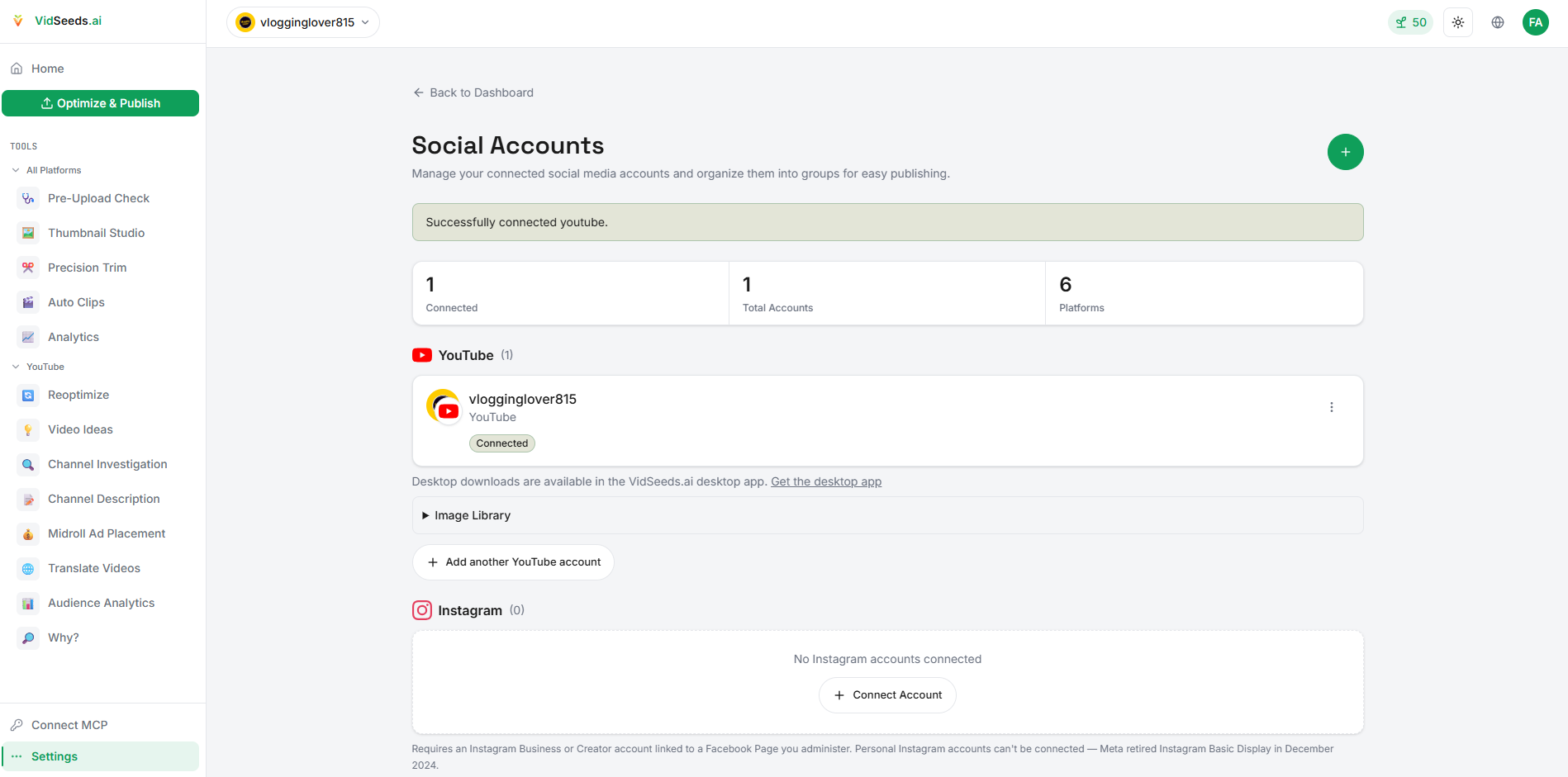
Step 1 — Upload Your Video: Drop the finished video file from your phone or laptop. No account needed to try it. The platform accepts MP4, MOV, and WebM files up to 3 GB, with a maximum length of 3 minutes for the free demo.
Step 2 — AI Watches and Analyzes: The platform reads your speech and scenes. The actual words you said, the hooks you built, the visual moments that define the video. It writes titles, descriptions, and tags that fit the content, not just the search volume.
Step 3 — You Edit and Approve: Pick a title from multiple drafts, adjust the description, choose a thumbnail concept, refine the tags. Everything is reviewable. Change anything that doesn't sound like you.
Step 4 — Publish to Six Platforms: One video becomes the right post for YouTube, TikTok, Instagram, Facebook, LinkedIn, and X. Each platform gets metadata optimized for its format and audience, not the same text copy-pasted everywhere.
The platform supports 85 languages for metadata and post text, which means localized video metadata for global audiences isn't an afterthought. It's built into the workflow.
Key Features: What VidSeeds.ai Actually Delivers
Pre-Upload Video Analysis From Real Footage
This is the core differentiator. Unlike keyword-first tools, VidSeeds.ai analyzes what's actually in your video: the transcript, the speech patterns, the scene composition, the hooks. It builds metadata from that foundation.
Think of it this way: a keyword tool tells you what people are searching for. VidSeeds.ai tells you what your video is actually about, then matches that to what people are searching for. The difference is that the titles, descriptions, and tags feel organic to your content, not forced to fit a search term.
AI YouTube Title Generator From Existing Videos
Instead of staring at a blank title box, you get multiple title drafts generated from your video's actual best moments. Each draft is based on real hooks, real quotes, and real scene context, not a guessed keyword string.
This is particularly valuable for creators who know their video is good but struggle to articulate what makes it compelling in a single line. The platform surfaces the hooks you built into the video and turns them into discoverable titles.
Optimize Video Descriptions Before Upload
The description field is where most creators either underwrite (two lines and a link) or copy-paste generic text. VidSeeds.ai drafts descriptions that reflect the video's actual structure: chapters, key moments, calls to action. The result reads like it was written for a viewer, not an algorithm.
Generate Chapters, Tags, and Hashtags for YouTube, TikTok, and Instagram
Manual chapter creation is tedious. VidSeeds.ai generates timestamped chapters based on your video's natural scene breaks and topic shifts. Tags and hashtags are platform-aware. What works on YouTube isn't the same as what works on TikTok or Instagram, and the platform adjusts accordingly.
Thumbnail Concept Generation
The platform generates thumbnail concepts based on your actual video frames and hook moments. Instead of a random screenshot, you get ideas anchored to the visual moments that already exist in your footage: the expressions, the scene transitions, the text overlays that would actually make sense as a thumbnail.
Multi-Platform Video Publishing in One Place
One finished video becomes optimized posts for all six platforms: YouTube, TikTok, Instagram, Facebook, LinkedIn, and X. Each platform gets text formatted for its audience expectations and character limits. No more rewriting the same content six times with slightly different formatting.
Localized Video Metadata in 85 Languages
For creators reaching global audiences, the 85-language localization is a significant efficiency gain. Instead of manually translating titles, descriptions, and tags for each target market, you get localized video metadata that preserves meaning across languages, not just machine-translated text.
Channel Voice and Audience Context
VidSeeds.ai incorporates your channel history and competitor context into the drafting process. It learns what your audience responds to and what similar channels are doing, so the metadata doesn't just match the video. It matches your channel's voice.
Human Review Before Anything Goes Live
This is worth emphasizing: nothing auto-publishes. Every title, every description, every tag, every thumbnail concept is a draft you review, edit, and approve. The platform positions itself as an assistant that prepares a launch package, not an autopilot that takes over your channel.
Pricing: Seed-Based Freemium Model
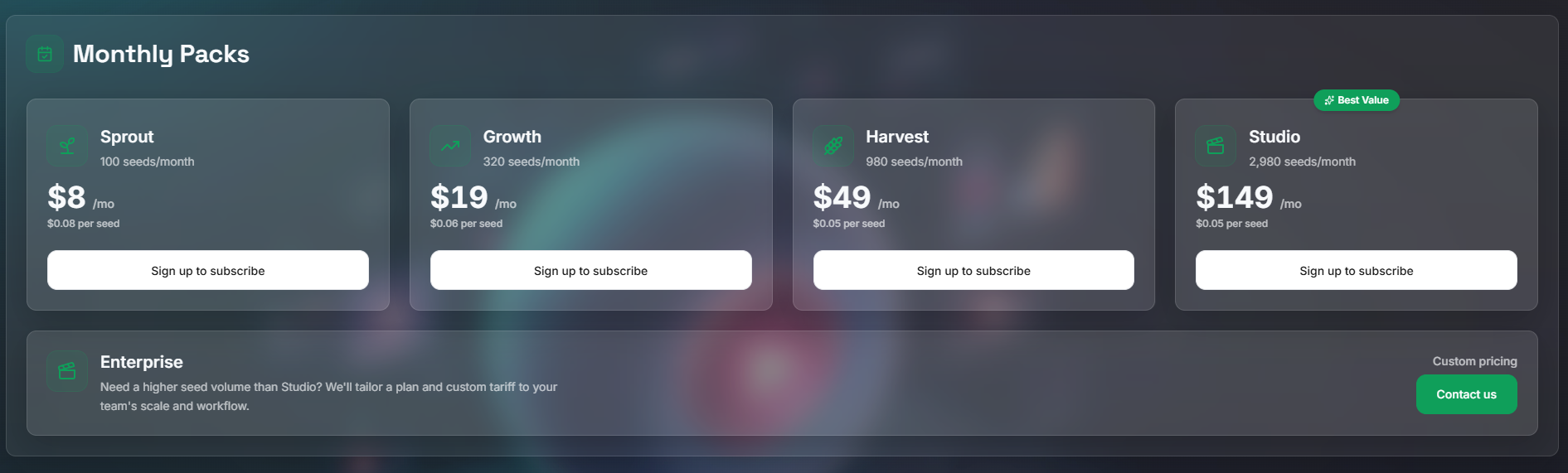
VidSeeds.ai uses a transparent Seed-based pricing model. Seeds are the platform's credit system: each video analysis and metadata generation consumes a certain number of Seeds.
- Free Tier: 50 free Seeds to start, which is enough for roughly 3–4 full videos. No credit card required. You can try the full workflow (upload, analyze, review, publish) without spending anything.
- Paid Plans: Available when you need more Seeds. 14-day money-back guarantee on all paid plans.
The freemium approach is refreshingly straightforward: you can validate whether the platform actually improves your publishing workflow before committing any money. The free tier isn't a stripped-down demo. It's the full product, just with a limited number of uses.
Stop guessing what to write in the upload form. VidSeeds.ai analyzes your finished video and drafts the complete launch package: titles, descriptions, tags, chapters, thumbnail concepts, and platform-specific posts. All before you publish. You review and approve every word.
👉 Start with 50 free Seeds at VidSeeds.ai. No credit card, nothing posts without your approval.
How VidSeeds.ai Compares to Traditional Video SEO Tools
This VidSeeds.ai review wouldn't be complete without acknowledging what you're comparing it against. The most common comparison points are VidIQ, TubeBuddy, and general keyword research tools.
| Aspect | Keyword-First Tools (VidIQ, TubeBuddy) | VidSeeds.ai |
|---|---|---|
| Starting Point | A keyword you guessed | Your actual finished video |
| Timing | After upload, during panic | Before upload, with time to review |
| Analysis Source | Search volume and keyword data | Your video's speech, scenes, and hooks |
| Metadata | Same keywords applied everywhere | Platform-specific text for each app |
| Thumbnails | Generic suggestions | Concepts from your actual video frames |
| Multi-Platform | Manual rewrite per platform | One video → six platform-optimized posts |
| Localization | Not included | 85-language metadata support |
| Human Review | You write everything | Drafts ready, you approve and edit |
| Channel Context | Not connected to your content | Learns your voice and audience |
| AI Answer Engine Visibility | Keyword-only discovery | Optimized for both search and AI answer engines |
| Free Tier | Varies (often limited features) | 50 free Seeds (≈ 3–4 full videos), full features |
The comparison makes the difference clear. Keyword-first tools optimize for what people might be searching for. Useful, but disconnected from the actual content. VidSeeds.ai starts with what your video actually is, then connects that to what people are searching for.
For creators who've felt the disconnect between a keyword-optimized title and the actual video content, this distinction matters. A title that ranks but doesn't match the video leads to high click-through and high bounce. Views that don't translate to watch time, subscribers, or engagement.
Who Should Use VidSeeds.ai?
Based on this review, VidSeeds.ai is particularly well-suited for:
Solo YouTubers and Content Creators
If you're a solo creator handling everything from filming to editing to publishing, the pre-upload workflow eliminates the most painful part of the process: the metadata grind. You upload your finished video, get a complete launch package, review it, and publish, without the blank-box paralysis that eats into your creative time.
The 50 free Seeds mean you can try it on 3–4 real videos before deciding whether to pay. That's a genuine trial, not a teaser.
Creator-Led Businesses and Marketing Teams
For businesses where video is a marketing channel, consistency matters. VidSeeds.ai gives your team a repeatable workflow: upload, review, approve, publish. Every video gets the same level of metadata attention without requiring someone to become a YouTube SEO expert.
Agencies Managing Multiple Client Channels
The review-before-publish model is built for agencies. You can prepare complete launch packages for client videos, get approval, and publish across six platforms, all within one workflow. The optional MCP (Model Context Protocol) server lets technical teams automate the workflow through AI agents like ChatGPT, Claude, or Cursor.
Educators and Podcasters With Video Content
If you produce educational content or video podcasts, the chapter generation and description drafting save significant time. Instead of manually timestamping every topic change, you get chapter markers based on the actual content structure, then you review and adjust.
Social Media Teams Repurposing Video Across Platforms
A single video that needs to work on YouTube, TikTok, Instagram, Facebook, LinkedIn, and X typically requires six different rewrites. VidSeeds.ai handles the platform-specific formatting, so your team focuses on review and approval rather than reformatting.
Creators Targeting Global Audiences
The 85-language localized video metadata support makes VidSeeds.ai uniquely useful for creators with international audiences. Translating titles, descriptions, and tags manually is impractical at scale. Having it built into the workflow is a meaningful efficiency gain.
What VidSeeds.ai Is Not
Just as important as knowing what VidSeeds.ai does, it's worth being clear about what it isn't:
- Not an AI video generator: VidSeeds.ai does not create, generate, or edit videos. It works exclusively with videos you've already finished.
- Not a video editor: There's no timeline, no trimming, no effects. The platform picks up where your editor leaves off.
- Not a dubbing, voice cloning, or lip-sync tool: No audio manipulation or synthetic voice features. The speech analysis is for metadata generation, not audio alteration.
- Not an auto-publisher: Nothing goes live without your explicit review and approval. The platform drafts; you decide.
- Not a replacement for VidIQ or TubeBuddy: Those tools serve a different workflow: keyword research and post-upload analytics. VidSeeds.ai focuses on the pre-upload gap that keyword tools don't address.
Being upfront about what it doesn't do matters, especially in a space where tools tend to over-promise. VidSeeds.ai stays in its lane: pre-upload video SEO, metadata optimization, thumbnail concept generation, chapters, localization, and multi-platform publishing support for finished videos you already made.
The Real Value: Moving From Post-Upload Panic to Pre-Upload Confidence
The real payoff with VidSeeds.ai isn't any single feature. It's when the metadata work happens.
Without it, you scramble to fill in titles and descriptions after uploading, while the video is already live and your brain has moved on to the next project. With it, you get a complete launch package before you touch the upload form. You review titles, descriptions, tags, chapters, and thumbnail concepts at your own pace. You approve what sounds like you, edit what doesn't, and publish when you're ready.
That's what pre-upload video analysis looks like in practice: the metadata work happens when you have time to think, not when the clock is ticking on a freshly published video with zero views and an empty description.
For solo creators, that shift turns publishing from something you dread into something you're ready for. For teams and agencies, it turns a chaotic last-minute scramble into a repeatable step in the workflow.
Final Verdict: VidSeeds.ai Review Summary
VidSeeds.ai targets a part of the creator workflow that most tools ignore: the gap between finishing a video and publishing it. By starting from real footage instead of guessed keywords, and keeping you in control of every decision before anything goes live, it takes a different approach to video metadata optimization — one that actually matches what's in your video.
It's not for creators who need keyword research tools, AI video generation, auto-publishing, or post-upload analytics. But if you've ever finished a great video and then struggled with titles, descriptions, tags, and platform-specific formatting, this creator video SEO platform gives you a better place to start. One that begins with your content, not a guessed keyword. The 50 free Seeds make it easy to try on 3–4 real videos before deciding.
Stop guessing what to write in the upload form. VidSeeds.ai analyzes your finished video and drafts the complete launch package: titles, descriptions, tags, chapters, thumbnail concepts, and platform-specific posts. All before you publish. You review and approve every word. Nothing goes live without your eyes on it.
👉 Start with 50 free Seeds at VidSeeds.ai. No credit card required.
Tags
# Review# VidSeeds.ai# YouTube SEO# video metadata optimization# pre-upload video analysis# thumbnail optimization# multi-platform video publishing# AI YouTube title generator# optimize video descriptions before upload# generate chapters tags and hashtags# creator video SEO platform# localized video metadata# video SEO tool# YouTube title generator from existing videos# video metadata tool for TikTok Instagram# pre-publish video checklist# creator video optimization# multi-platform metadata tool# video publishing platform# video chapter generator# video hashtag generator# video tag generator# thumbnail concept generator# AI thumbnail ideas# video description optimizer# YouTube metadata tool# TikTok SEO tool# Instagram video SEO# Facebook video metadata# LinkedIn video publishing# X video optimization# multi-language video SEO# 85 language video localization# video metadata translation# creator workflow tool# pre-upload video checklist tool# video SEO for creators# YouTube optimization tool# social media video SEO# video content optimization# creator video tools# freemium video SEO tool# human reviewed video metadata# channel voice preservation# Seed-based pricing model# free video SEO credits# publishing workflow for creators# video repurposing tool# cross-platform video publishing# creator-led business tools# marketing team video SEO# agency video optimization# podcast video SEO# educational video metadataFollow for new blogs
Subscribe to our blog
Subscribe to Newsletter
Subscribe to our newsletter to get the best products weekly.