
MyToolsBench
MyToolsBench
This project is scheduled for launch
Launch date: Thursday, December 24, 2026 at 08:00 AM UTC
Scheduled
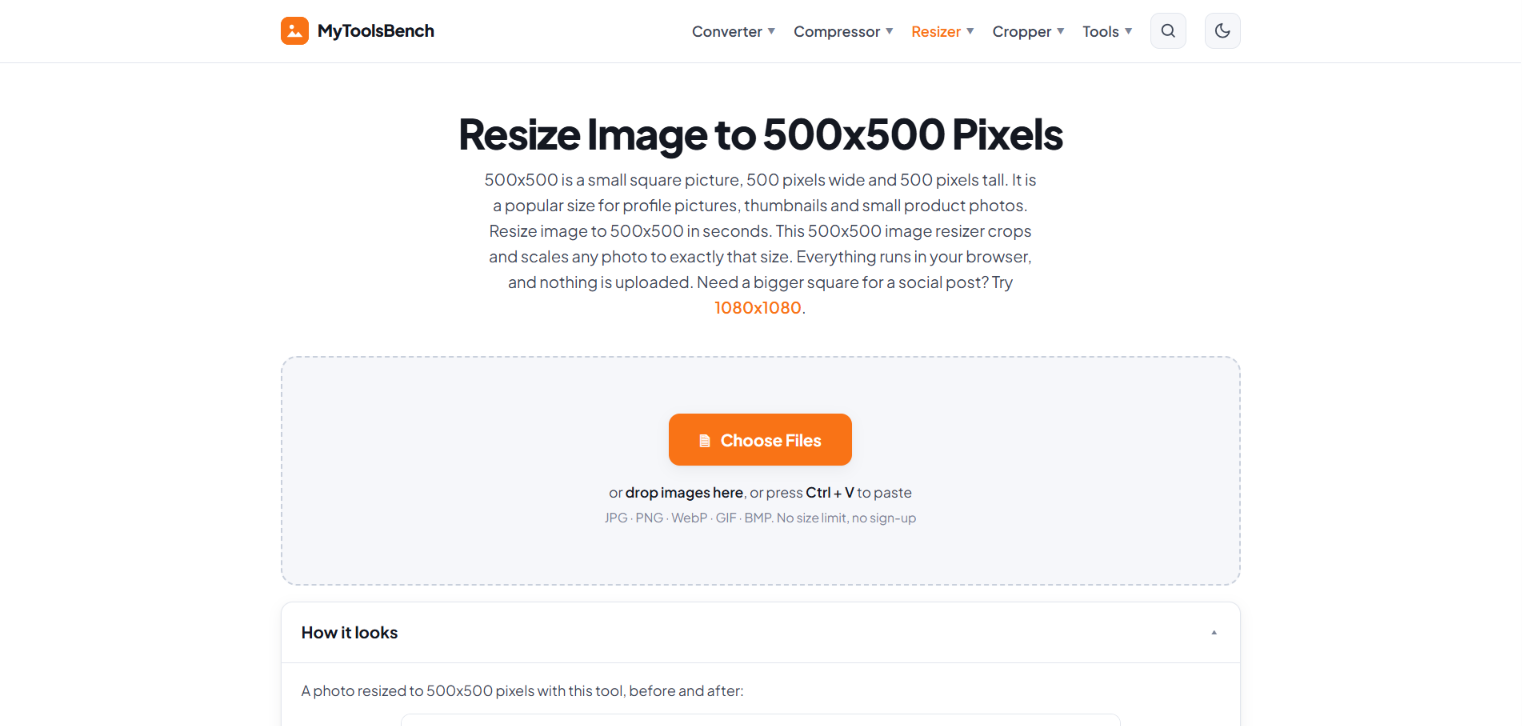
MyToolsBench is a comprehensive online suite of browser-based image and PDF manipulation tools, designed for quick and secure file processing. It offers a wide range of functionalities including image conversion, compression, resizing, cropping, and various photo editing utilities. This platform caters to individuals and businesses needing efficient image and PDF management without software installation or file uploads.
Key Features:
- Extensive Image Conversion: Supports popular formats like PNG, JPG, WebP, AVIF, PDF, and HEIC, enabling seamless format changes.
- Advanced Image Compression: Optimize JPG, PNG, WebP, GIF, and PDF files to specific target sizes (e.g., 500 KB, 512 KB, 60 KB) for web and email efficiency.
- Versatile Image Resizing: Offers standard dimensions (e.g., 1080x1080, 1920x1080), bulk resizing, DPI conversion, and numerous presets for social media (Facebook, Instagram, YouTube, TikTok, etc.) and e-commerce platforms (Etsy, eBay, Shopify).
- Intuitive Image Cropping: Provides standard, circle, and square cropping options to perfectly frame your visuals.
- Photo Enhancement Tools: Features include background removal, watermarking, rotation & flipping, and EXIF data management (removal and viewing).
- PDF Utilities: Convert PDF to JPG, compress PDF files, and convert JPG images to PDF documents.
- Browser-based & Secure: All processing happens locally in your browser; no files are uploaded to servers, ensuring complete privacy and fast execution.
Use Cases:
MyToolsBench is ideal for content creators, social media managers, and e-commerce professionals. Users can quickly resize images for profile pictures (e.g., 500x500 for WhatsApp DP, Discord PFP), social media posts (1080x1080 for Instagram), and web thumbnails, ensuring optimal loading times and display quality across various platforms. The tool simplifies the preparation of visuals for online presence, from personal avatars to professional marketing materials. Online shop owners can efficiently resize and compress product photos for platforms like Etsy, eBay, and Shopify, meeting specific size requirements and improving page load speed. The bulk resizer is particularly useful for managing large inventories, allowing for consistent image sizing and optimization across product listings. Additionally, the platform serves general users needing to convert HEIC to JPG for wider compatibility, compress large PDFs for email, or remove sensitive EXIF data from photos, enhancing overall digital file management.Pricing Information:
MyToolsBench operates on a free model, offering full functionality without any size limits or requiring user sign-up. The service is supported by advertisements, making it accessible to all users at no cost.User Experience and Support:
MyToolsBench features a user-friendly interface with intuitive drag-and-drop functionality and clipboard pasting (Ctrl + V) for adding images. The emphasis on client-side processing ensures a private and fast user experience, as no files are ever uploaded. Clear, step-by-step instructions are provided for each tool, such as the 3-step process for resizing images, complemented by a comprehensive resizing guide for new users.Technical Details:
The platform leverages client-side web technologies, performing all image and PDF manipulations directly within the user's browser. This approach eliminates the need for server-side processing of user files, enhancing privacy and delivering immediate results. The architecture relies on modern front-end frameworks and browser APIs to handle various file formats and complex image operations locally.Pros and Cons:
- Pros: Client-side processing ensures user privacy; Wide range of image and PDF tools in one place; User-friendly interface with drag-and-drop and batch processing; No sign-up or size limits; Optimized presets for social media and e-commerce platforms.
- Cons: Performance may vary based on browser and device capabilities; Ad-supported model; Limited to basic image editing features; No explicit direct customer support channels mentioned.
Conclusion:
MyToolsBench offers a robust, privacy-conscious, and highly accessible solution for all your image and PDF processing needs directly from your browser. Its comprehensive feature set and ease of use make it an invaluable tool for anyone looking to quickly convert, compress, resize, or enhance digital media efficiently and securely. Explore MyToolsBench today for streamlined digital file management.Comments
Comments will be available once the project is launched.
Publisher

Launch Date2026-12-24
Platformweb
Pricingfree
Tech Stack
#web
Sponsors

AIChatOne
All-in-one AI assistant with the most advanced AI models to help you Chat, Search, Write, Read and more.
DirEasy
The scalable and production-ready Directory starter kit.
Become a Sponsor
Get your brand featured here
Outbid
View🥇 🥈
 🥉

Want this spot? Pay what you wantBest Launch Directories: launch directories with DR, traffic and pricing
Launch directories, product launch platforms and startup listing sites in one table, with Domain Rating by Ahrefs, traffic where known, pricing and link type for each.
$50
Boost Your Domain Rating — DoFollow Backlinks (DR 30–70) from $30
Raise your Ahrefs Domain Rating with 5 - 50 dofollow backlinks from DR 30–60 sites — from $50, guaranteed to improve your DR or your money back.
$45
DirEasy - The Best Directory Boilerplate with AI | DirEasy
The best directory boilerplate, packed with AI, Listings, Payment, Submission, CMS, Blog, Authentication, Newsletter, SEO and more.
$41